Blog Posts

Mostrar mensagens com a etiqueta freecad. Mostrar todas as mensagens

sábado, 1 de junho de 2019

Um Nano mais barato! E aprendam FreeCad, um braço-robot Open Source(!), convertam scad para stl, e um Kit Arduino,

Muita coisa para cobrir, por isso, vai ser rápido:

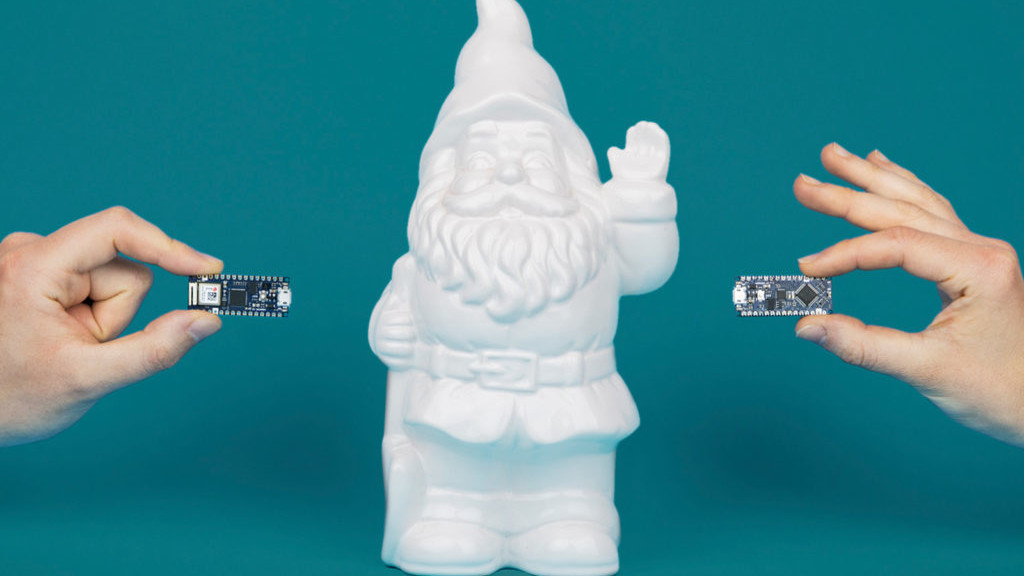
Eis a ùltima criação da Arduino, um Micro-Controlador Nano, e mais em conta, para facilitar ainda mais a vida dos Engenhocas:


Arduino Launches New Affordable Nano Microcontroller BoardsHanna Watkin  
Arduino is the Italian open-source computer hardware and software company announced a new family of affordable, microcontroller boards at last weekend’s Maker Faire Bay Area 2019.
“The new Nanos are for those millions of makers who love using the Arduino IDE for its simplicity and open source aspect, but just want a great value, small and powerful board they can trust for their compact projects,” said Massimo Banzi, co-founder of the Arduino project.
The company’s press release explains that these boards offer high quality and reliability, with a cheaper price tag. The microcontroller boards are also compatible with classic Arduino boards and boast low energy consumption. They’re also equipped with powerful processors. 
https://all3dp.com/4/arduino-launches-new-affordable-nano-microcontroller-boards/


O FreeCad é a melhor opção para quem quer desenhar os seus Objectos 3D, e aqui vai um simpático Tutorial para aprenderem como dominar o Programa:
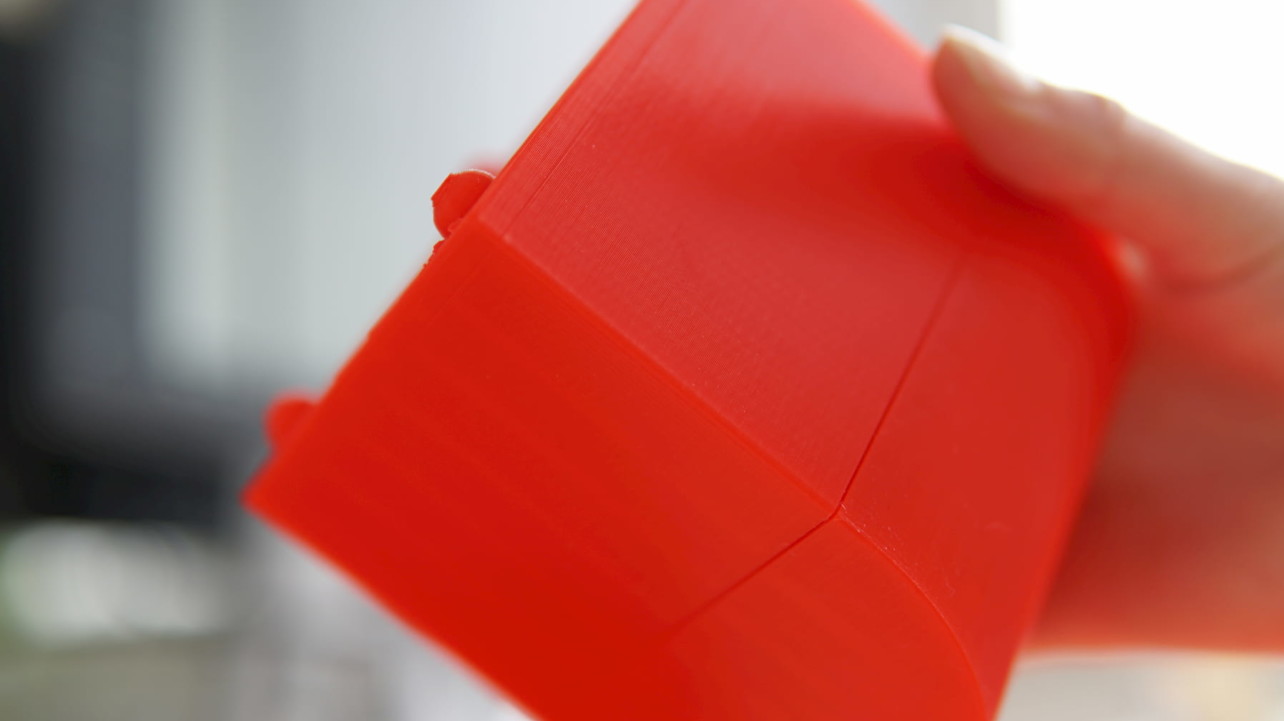


2019 FreeCAD Tutorial for 3D Printing – 5 Easy Lessons
Rocío Jaimes Gutierrez 

Welcome to our FreeCAD tutorial for 3D printing. FreeCAD is a 3D parametric modeler, designed to create and customize real-life objects. Its beauty lies on the easiness to modify your designs, together with the open-source principle, and of course, being for free.
In this 5-lesson FreeCAD tutorial, you will learn the basic commands and tools to visualize your ideas on screen for 3D printing. We will construct a seemingly simple object – step by step. After each instruction, you will find pictures highlighting the steps. By the end of this tutorial, you will be ready to print your first self-constructed CAD model.


Ora aqui está um Kickstarter a apoiar, um braço-robot OPEN-SOURCE!
Dito de outra maneira, CNC para o Povo!
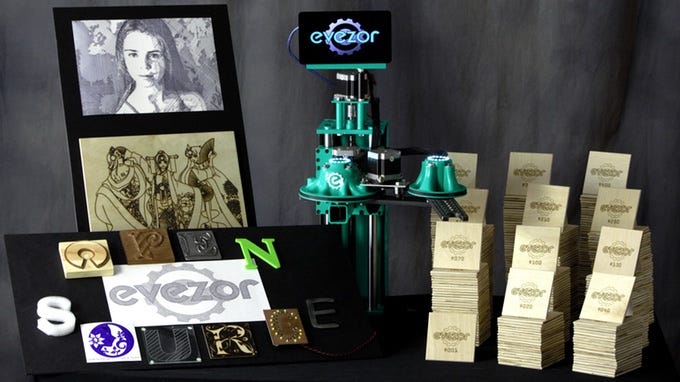


Evezor: Open Source SCARA Robot ArmJeremy S. Cook

Per this project’s Kickstarter video seen below, when 3D printing first jumped came into the mainstream, many people thought they could now make anything they wanted, perhaps even many of them to sell with no human interaction. While true in some sense, these machines do require human intervention between prints, and can take a very long time to produce useful parts. Additionally, some designs may require a different tool, such as a laser cutter or CNC router. That, of course, means more space and money, and still there is the issue of machine tending.

https://blog.hackster.io/evezor-open-source-scara-robot-arm-b955daac3d82


O programa SCAD tem muitos aderentes, por isso, podem aprender como transformar aqueles Sólidos criados em relações Matemáticas, em Objectos impresso em 3D:
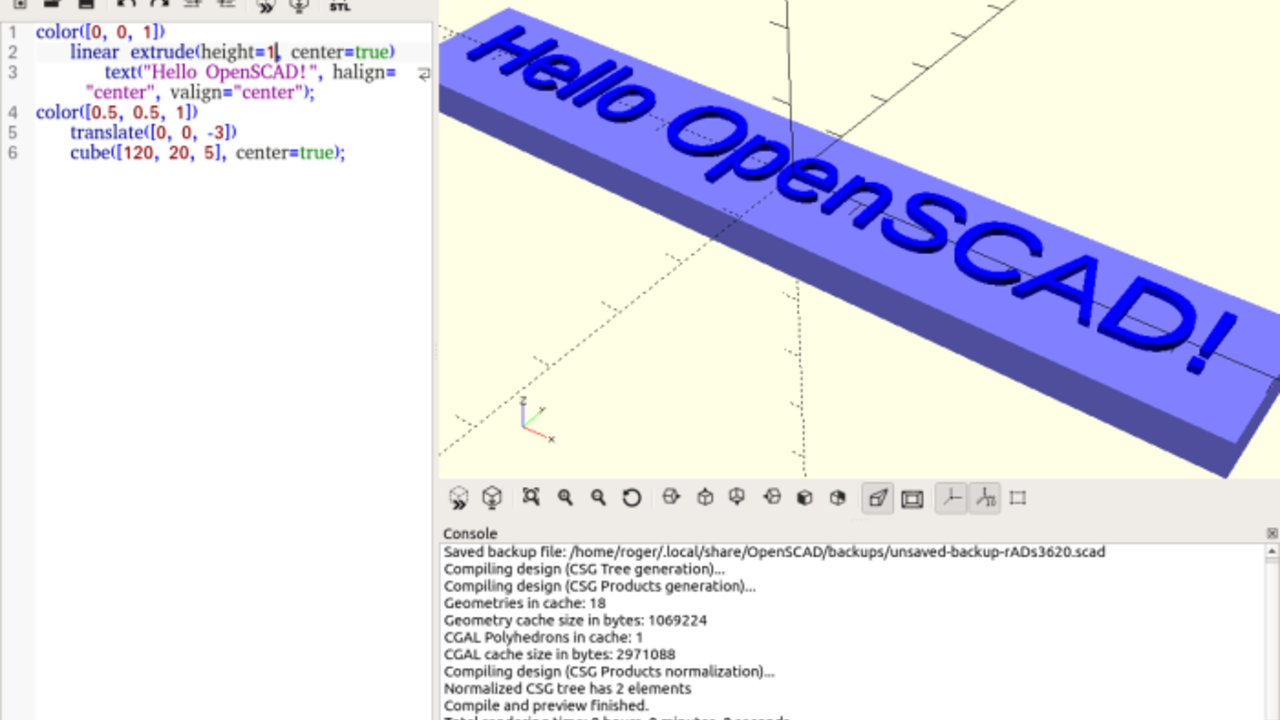


SCAD to STL – How to Convert SCAD Files to STLBenjamin Goldschmidt 

SCAD and STL files are two common file types for 3D design applications. SCAD stands for “Solid Computer Aided Design”, and the file format is used to describe 3D objects. It was pioneered by a software called “OpenSCAD,” which is a free CAD software for designing 3D objects. STL stands for “stereolithography” and is a popular file type to use with slicers for 3D printing.
The main difference between these two file types is in the way the models are described in code. In STL files, the 3D model is created using a “tiled” set of triangles along the surface of the object. This creates a fully 3D object. In contrast, SCAD files design an object using mathematical relationships. For example, a cube-like object can be described using its length, width, and height. This type of design can be useful for printing objects such as fractal art on objects.
Because the geometry used by STL files is more capable of conforming to complex designs, you may find you want to convert SCAD to STL. Lucky for you, there are two really easy ways to do this.

https://all3dp.com/2/convert-scad-files-to-stls/


Este nosso amigo tem-vos a oferecer um bastante exaustivo Instructable para aprenderem uma data de usos para o Arduino!
É bom!


Arduino Learner Kit (Open Source)taifur

If you are a beginner in Arduino World and going to learn Arduino having some hands-on experience this Instructables and this Kit is for you. This Kit is also a good choice for the teachers who like to teach Arduino to their students in an easy way.
If you want to learn Arduino you should include the following topics:
Digital Output:
Controlling multiple LEDs using Arduino
Generating Tone using Buzzer
Digital Input:
Interfacing button switch using Arduino
Interfacing DHT11 Sensor Using Arduino
Analog Input:
Reading Analog data from a potentiometer
Interfacing LM35 temperature sensor using Arduino
Analog Output (using PWM):
Generating multiple colors using the RGB LED.
SPI Communication:
Interfacing 74HC595 Shift Registerwith Arduino
Interfacing MAX7219CNG with Arduino for driving DOT Matrix display or multiple seven segment display using only 3 pins of Arduino.
I2C Communication:
Reading date and time from DS1307 real time clock
UART Communication:
Interfacing GROVE GPS and Bluetooth Module with Arduino
Display Interfacing:
Driving 16 X 2 Character LCD display using Arduino
Multiplexing:
Driving multiple seven segment display using a minimum number of Arduino pins.
You will be wondering to know that the Kit is designed to experiment with all the above-mentioned topics. So, it can be an Ideal Learner Kit for learning Arduino Programming.
[The Kit includes onboard 6 Green LED, 1 RGB LED, 1 Potentiometer, 1 LM35 Sensor, 1 DHT11 Sensor, 4 Button Switch, 4 Seven Segment Display, 1 8X8 Dot Matrix Display, 1 MAX7219CNG IC, 1 74HC595 Shift Register, 1 Buzzer, 1 16X2 LCD display, 1 DS1307 RTC, 3 Grove Universal Connector.]
No more separate shield or module, no more disgusting wiring on the way of learning Arduino.
https://www.instructables.com/id/Arduino-Learner-Kit/




terça-feira, 17 de abril de 2018

Maslow! E desenhos para 3D, caixas para baterias, Brinquedos de toda a espècie, e Impressão 3D a Cores, MESMO!


Isto é que é  uma maneira incrível de ganhar dinheiro com o vosso Hobby!
Uma Fresa CNC que corta Placas enormes, e sem peças complicadas, e até ocupa menos espaço!

Já imaginaram o que podem fazer, de Caíaques a Mobília, passando por letragem e adereços para lojas?
E é tudo Open Source, pelo que podem até construír tudo em casa....


You are going to build amazing things.

Maslow is a community driven open source project with the goal of making large format CNC technology available to everyone. We believe in a world where people everywhere can collaborate, share, and build amazing things together.

What is the Maslow CNC Machine?

Maslow is a large (4'x8') CNC cutting machine designed to let you cut big, useful things out of wood and other flat materials. Cut out a tiny house, a kayak, a tree house, some furniture, or anything else you can imagine. Maslow is designed to be affordable to buy, cheap to ship, easy to use, and powerful. Because designs can be shared digitally, you can build on the work of others or create your own from scratch. Here is our Kickstarter video which is a little out of date, but explains the projects goals well.


Viram um Vídeo, ou uma Imagem, na Net, e querem criar algo no Mundo Real, mesmo a 3D?
Aqui vai este Instructable, deste vosso amigo, há tanto tempo nos Instructables, que lá estou, só com o meu primeiro nome...  
Sim, foi um dos primeiros.
Com o Inkscape, e o FreeCad, ou outros programas equivalentes, podem tratar de tudo, sem mais nada:


2D to 3D, Image to Svg to 3D
Edgar

I've become fascinated with those X-Ray Videos of working Mechanisms, and so, I wanted to make some MDF cut plates of them, just for fun.
So, I went to the Net to search for some 3D Files, but the ones I've found are crap, either Homemade Firearms, or 3D for movies, so I went to do them from scratch.
Here's my tips on how to do it;
How to turn any 2D image, into an Object, or into many parts of a 3D Project.


Nas Engenhocas que envolval alguma Electrónica, entram quase sempre as Baterias, e daí que caixas para as mesmas,  e aqui abaixo, têem como construír 4 tipos diferentes delas!
Claro que estas caixas podem alojar toda a Circuiteria...


Battery Cases for Electronic Kits.
liquidhandwash

If you have built one of the cheap electronic kits featured in my previous instructable, you probably want to put in some sort of case. Having your project in a nice looking case will really make your project look great and will impress your friends much more than a naked PCB with wires and a battery hanging off it. Your project should be something you can be proud of, take to a job interview and say look what I made!
This instructable will show you whats possible with a little thought and a laser cutter.
There are four types of cases shown here,
  •  Case without a battery or switch: The easiest to make but you will need to run a lead to your power supply.
  •  Case with a battery: Great if your kit has a switch.
  •  Case with a battery and switch: The most challenging to build, but some kits don't have a switch.
  •  Case with a push button, battery and switch.


Uma fonte infinita de Ideias, é decerto, o Pinterest.
Para dar apenas um exemplo, Vejam, embaixo, 97(!) Ideias para Brinquedos!


97 Examples of Tech-Free Toys
Katherine Pendrill

From DIY Paper Box Puppets to Wooden Coloring Books

While miniature robots and app-controlled playthings may be on the rise, there is still a growing demand from consumers for simple tech-free toys that allow children to embrace their imagination. Made from minimalist materials and featuring straightforwards designs, these timeless toys prove that children don't necessarily need the latest high-tech products.
For boys, there are a number of tech-free toys that are heavily focused on building. For example, there are home-inspired wooden building blocks, cardboard architecture kits and paper-based medieval toys, all of which offer boys the possibility of building their own creations from simple and uncomplicated materials.
For girls, these tech-free toys offer creative and artistic options that go beyond traditional plastic dolls. Some of the most innovative toys for girls are empowering coloring books, DIY paper doll crafts and miniature felt garden play sets. Despite their simplistic design and lack of smart technology, these tech-free toy options for girls are extraordinarily imaginative and highly educational.


E ESSE Link, para um Site interessantíssimo, é apenas UM dos milhentos que aparecem, apenas por inserirem "Toys" na tabela de Busca do Pinterest!


"Toys" result, on the search tab of Pinterest result!

It goes on, and on, and on...

https://www.pinterest.pt/pin/329325791495942746/?lp=true


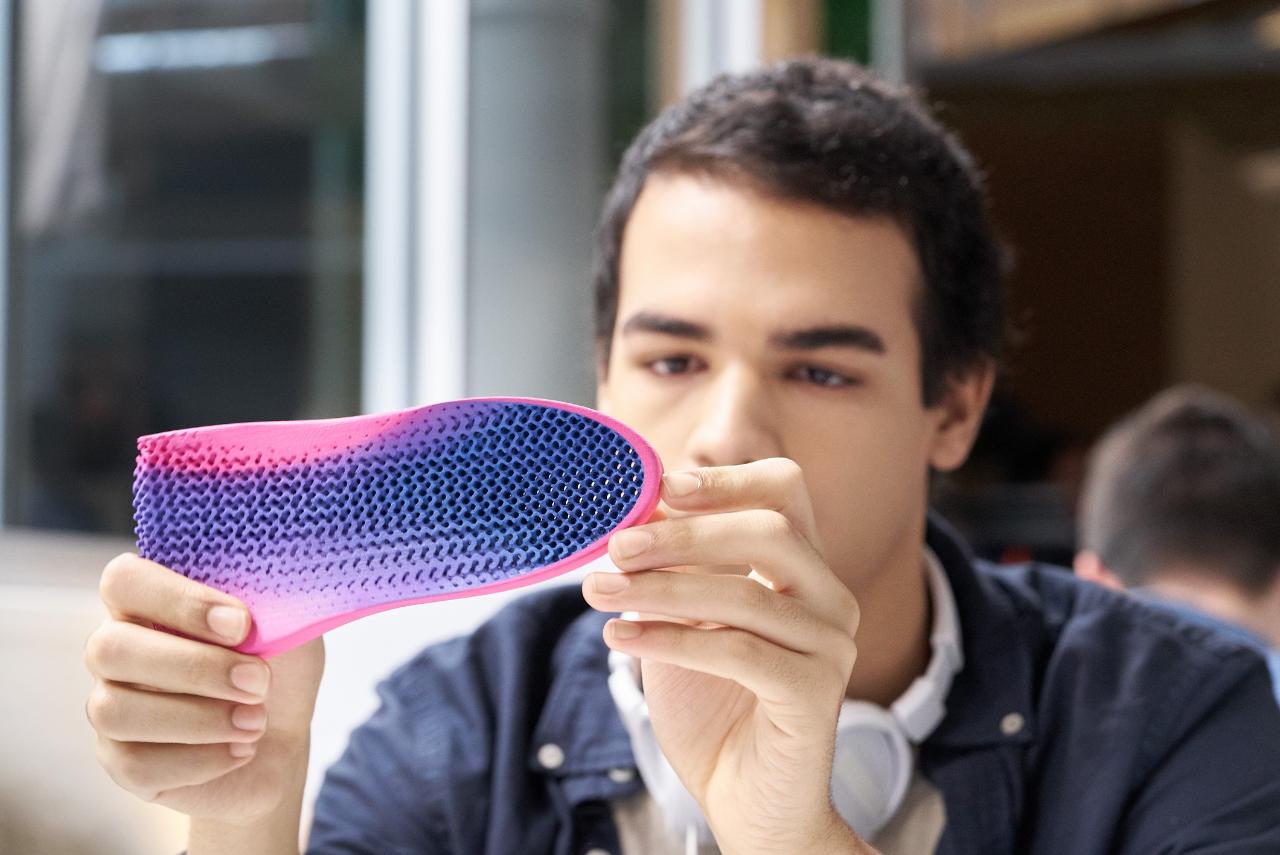
E a famosa Marca de Impressoras de papel, HP, aventura-se agora na Impressão 3D, a core, mas mesmo a cores, com as cores que queiram a gradientes, e tudo!
E com qualidade dum produto saído da Fábrica!
É de seguir com atenção...


The amazing science behind HP’s new full-color 3D printers
Garage Staff

Today, HP unveiled its groundbreaking low-cost, full-color 3D printers at the annual SOLIDWORKS World 3D design and manufacturing trade event. The new HP Jet Fusion 300/500 printers are an industry first: capable of creating production-quality prototypes quickly, accurately and affordably — making advanced 3D technology accessible to a wider swath of digital innovators. And this huge leap forward in 3D printing began as HP explored a surprising realm of light — one that we’re unable to see.
Cheryl MacLeod, HP’s Global Head of 3D Fusion Science, leads the team of scientists and engineers at HP’s 3D Open Materials and Applications Lab in Corvallis, Oregon who are charged with developing the science behind the company’s portfolio of 3D printing materials. “We ultimately think of printing as a way to convey information,” says MacLeod. “And with 3D color printing, we now have an entirely new language.”
Breakthrough 1: Seeing the light
In developing the new Jet Fusion technology, HP’s 3D R&D teams called on the company’s deep expertise in the science of ink to create black fusing agents able to absorb heat at greater speeds, as is needed for 3D printing. But printing color with exclusively black agents isn’t possible, so a new solution needed to be found.
The new HP Jet Fusion 300/500 printers are an industry first: capable of creating production-quality prototypes quickly, accurately and affordably.
Courtesy of HP
The new HP Jet Fusion 300/500 printers are an industry first: capable of creating production-quality prototypes quickly, accurately and affordably.
HP’s scientists realized that they needed a primer coat of white on the outer layers of the black parts being produced so that color could be applied and fused. But how could you create a layer of white when all available fusing agents were black? A new kind of fusing agent was needed, so that the surface of the fused part remained white, but absorbed heat as well as black. And they found the answer in an unexpected realm of light — one that we’re unable to see.


quinta-feira, 5 de outubro de 2017

Construír Robots! E Visão para os quase cegos, uma Serra de lixar(?) Óculos de sol de frascos, e Lego das Impressoras!

Querem fazer o vosso Robot, em casa?
Aprendam com o nosso amigo DJ Harrigam, como o podem fazer, um Manual de categoria, para fazer toda a espécie de Robots:


Designing And Building A Robot
DJ Harrigan
Introduction To Robotics And Robot Making  
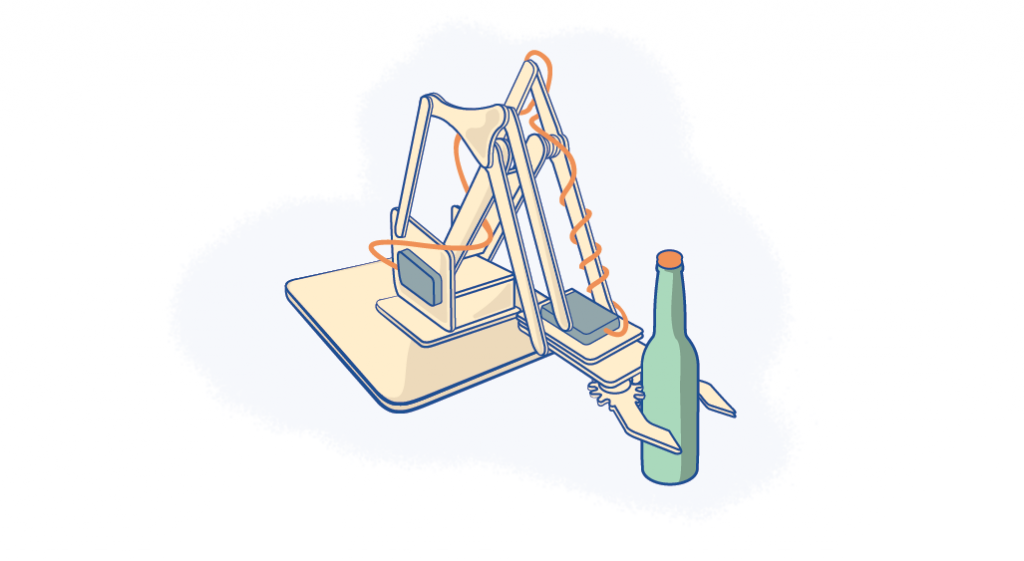
For a hundred years, robots, automatons or otherwise synthetic assistants have been part of our popular culture. While they’ve mostly been restricted to the silver screen, thanks to increasingly affordable and powerful electronics, making robots has never been easier. Now, if you’ve got the determination and a few bucks to spare, you can design and build a robot to your liking. Maybe even a cool MeArm as depicted in the illustration above. 
Although robotics is more accessible than ever, any robot is a complex system and requires at least a basic understanding of electricity, mechanical design and programming to create. Never fear! My goal is to explain the high level concepts that make for a successful robot as well as point to the right tools and materials that the bot builders of today are using in their designs. It is a challenge, but there’s nothing quite like taking raw materials and making them come to life. Let’s get started! 


Algo que importa divulgar por todo o Mundo Lusófono, os quase-cegos poderão VER outra vez, com esta maravilhosa Enhenhoca, por isso, cá vai a Referência:


How Does eSight Let The Legally Blind See? 
eSight houses a high-speed, high-definition camera that captures everything the user is looking at. eSight’s algorithms enhance the video feed and display it on two, OLED screens in front of the user's eyes. Full color video images are clearly seen by the eSight user with unprecedented visual clarity and virtually no lag. With eSight’s patented Bioptic Tilt capability, users can adjust the device to the precise position that, for them, presents the best view of the video while maximizing side peripheral vision. This ensures a user’s balance and prevents nausea – common problems with other immersive technologies  


Lixar como deve de ser, não é brincadeira...
Por isso, vejam só esta bela ideia para lixarem Madeira com um resultado fantástico, bem fluído e contínuo:


Sanding Saw
Mikhandmaker 
For those of us who collect homemade sanding blocks or need to sand around corners and curves, may I present to you this homemade bow sander.
This bow sander is great for tight, curved places and works from both top and bottom.
Maybe your great grandchildren will look at yours someday and ask, “What was that thing for anyway?
If you like the video please Subscribe to my Youtube Channel
I would also apologise for my English as a non-native English speaker some terms are very difficult for me. Forward, Instructable!! 


Para terem um par de Óculos de Sol feitos em casa, aproveitem as propriedades de bloqueio da Luz Azul destes Frascos de remédio!


Blue Light Blocking Glasses From Pill Bottlesthe6thstar 
So recently I read an article about how wearing orange glasses at night can help you sleep better at night. I wanted to test this for myself, and being the cheap person that I am, I made my own and it took me about an hour and a half. So yeah, that's what this instructable is. 
https://www.instructables.com/id/Blue-Light-Blocking-Glasses-From-Pill-Bottles/


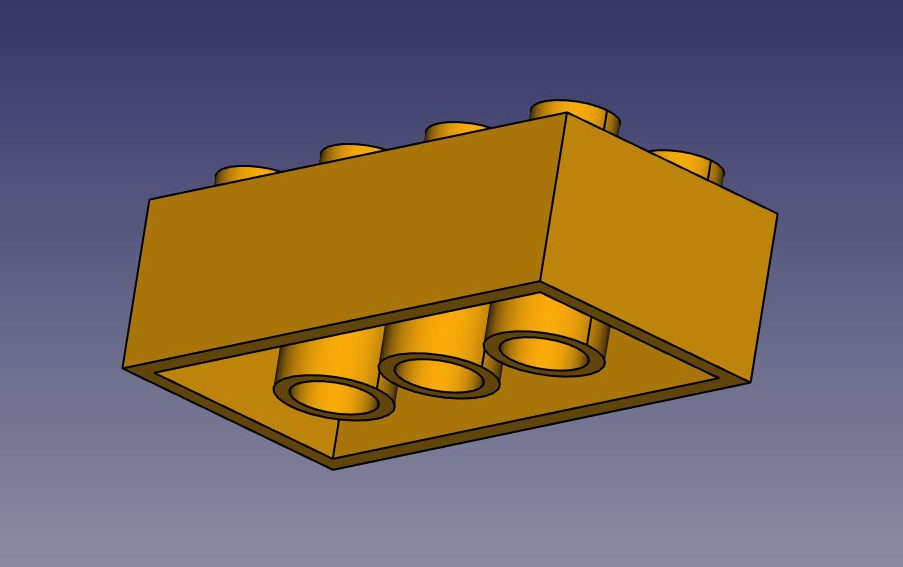
Uma pequena Maravilha, tanto para terem peças de Lego à vossa maneira, como para aprenderem como mexer no porreiríssimo Programa FeeeCad, é esta quantidade de peças de Lego que podem imprimir.


Lego bricks in FreeCADmase 
People of FreeCAD
----------------------
SO.... What about to create a LEGO BRICK libary for FreeCAD :)

The aim for this projekt is learning useful stuff:
[*] get use to with freecad
[*] improving my english
[*] get use to git (maintaining the libary)
[*] And MAYBE create addon for adding the lego bricks and to put them together.
Help is very much appreciated. I would be happy to have some feedback about my drawings.
[*] right measurements about the bricks
[*] opinion about the constructions ( how they are made)
[*] opinion about the construction is properly draw. (I read that in an .fcstd u can verify how the construction is drawn)
Here is the url of the legolib https://github.com/mase-tech/FreeCAD-LEGO

Feel free to suggest, help and correct me :)
kindly greetings from Germany
mase 
https://forum.freecadweb.org/viewtopic.php?t=11610


quinta-feira, 29 de maio de 2014

Foguetes nas Makerbots? E Tutoriais do FreeCad, e façam o vosso Robot de Tele-presença

Ora, se estes bacanos podem fazer Plásticos que propulsinam Foguetes, talvez um dia as Impressoras 3D caseiras poderão ter Bobines desse Material, e poder-se-há fabricar um Foguete, com propulsão e tudo!!!


SpaceShipTwo to be fueled by thermoset plastic similar to nylon
David Szondy

As the still-to-be-announced date of the first commercial flight of Virgin Galactic’s SpaceShipTwo approaches, more and more of the technology involved is getting nailed down. A case in point is the company's announcement that it has decided which fuel will be used in the first passenger-carrying flights of the suborbital spacecraft. The solid fuel grains that will fuel the world’s largest operational hybrid rocket will be a thermoset plastic similar to nylon.


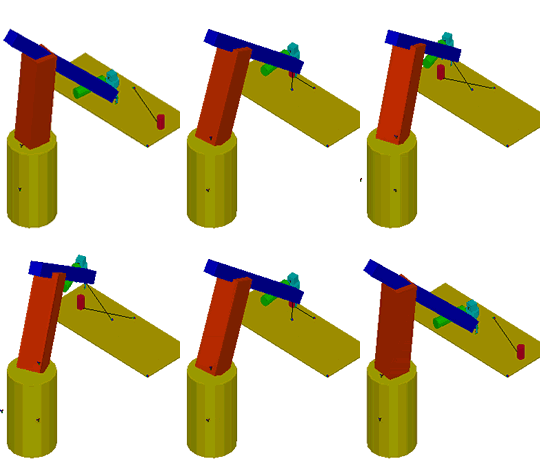
O Programa FreeCad, que vos permite fazer DISTO...

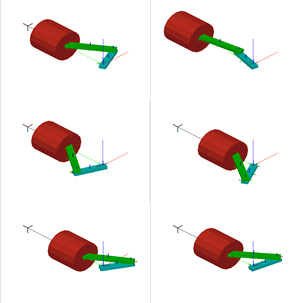
...Pode-vos também fazer previsões de Movimento, para simular Mecanismos, o que é bastante bom, para um Programa Grátis...
Está tudo sobre como o fazer, neste Turorial:


Tutorials for freeCAD

In this section, we have tutorials, using which you can learn faster and can model and simulate your own mechanisms with ease.
The best place to start freeCAD is Quick Start Tutorial video with sound: Four Bar Mechanism.

http://www.ar-cad.com/freecad/tutorials.html


 ...E uma Fézada para as Fablabs, Dica da fantástica AppNeta,  eis como fazerem os vossos próprios Robots de Tele-Presença!


Introducing PETBOT: A node.js Telepresence Robot

Ari Rizzitano

Recently we added a new member to our engineering team. This is PETBOT, aka Providence Engineering Telepresence roBOT.
It’s a telepresence robot I built for our office, consisting of an iPad mounted on a lightweight chassis powered by an RC car. To operate it, you open up a video chat session with the iPad, then control the robot from your browser using the web interface.
PETBOT can see, move, talk, and, like any startup employee, play foosball. Or at least try to.


sexta-feira, 21 de setembro de 2012

FreeCad da Mecsoft, Beaglebone, e Viva Aveiro!

Faço coisas muito Cinemáticas em 3D, vem desde o tempo em que mexia no Cinema 4D no Commodore Amiga...

Mas para 3D de Fabbing, ou mesmo de Fabricação tradicional, estes Sólidos não servem!

Para todos os que sofrem do mesmo problema, vem agora mais uma ferramenta porreira. Podem importar em Vrml, e exportar em Stl, ou até STEP, e ficar por aí...
Ou ir aos poucos aprendendo a fazer Sólidos como deve de ser neste Programa Cad do caraças, e Grátis! 
FreeCad

Ó pa mim, com o Halbach 12 Ìmanes no FreeCad, no Linux Mint, através do Emulador de Windows, Wine:


Fazer o Upload para Sites de Impressão 3D, é uma dor de dentes!
Nunca acertam com as dimensões, pois agora, é só esticar o bicho, num programa mais que completo, e não nos programas que dá para poucochinho...

Vão lá!


Beaglebone? Foi lançado um ano antes do Raspberry Pi, e não tem tanta fama, mas é de ver, e comparar com o Raspi...
Vejam este, e outros artigos porreiros, na Designspark:


The BeagleBone Revisited

As the BeagleBone approaches one year old a look how it compares with its slightly younger, not-so-distant but arguably more glamorous relative, Raspberry Pi.
When the BeagleBone was announced it caused quite a stir with its combination of a reasonably powerful ARM-based SoC, hacker-friendly nature and low price point. However, it wasn't long before it was eclipsed by the similar but even lower cost Raspberry Pi, which in the UK received much coverage in the mainstream media and quickly went on to become a household name.
Since the Raspberry Pi has become so well known it serves as an excellent benchmark for other embedded platforms, and a closer comparison of the Pi and BeagleBone is useful as it brings to light their respective strengths. What follows is a comparison of just some of the major differences and for comprehensive details consult the official documentation.

http://www.designspark.com/content/beaglebone-revisited


Aveiro brilha, e pelas boas razões de ter a Inovação, não como uma Moda maricas, ou uma desculpa para sacar Fortunas ao Governo, via Cunhas, mas sim, por encarar a Inovação como uma Ferramenta para servir o País, com um Recurso não só renovável, mas Infinito:
A Invenção!

Parabéns a Aveiro, a ao Mundo Português também, pela divulgação desta Boa Notícia:


Um laboratório permanente de inovação na Universidade de Aveiro

Um processo inovador que será capaz de diminuir o tempo de transformação do bacalhau «verde» em bacalhau salgado seco, a criação de um novo biocombustível a partir microalgas existentes na costa portuguesa ou o fabrico de um dispositivo capaz de fazer a infusão de soros ou plasma sanguíneo à temperatura próxima do corpo do paciente, são alguns dos projetos de investigação que estão a ser desenvolvidos no Departamento de Engenharia Mecânica (DEM) da Universidade de Aveiro. Com mais de 350 alunos, 70 investigadores e 64 doutorandos - dos quais quase 50 por cento são estrangeiros, o DEM está em fase de internacionalização.

“Estamos abertos aos filhos da diáspora e à colaboração com as próprias universidades. Esse é um aspeto extremamente importante”, destacou a este jornal, António Mendes Sousa, professor catedrático e diretor do Departamento de Engenharia Mecânica (DEM).
Fundada em 1973, a Universidade de Aveiro (UA) é um dos estabelecimentos de ensino superior de referência em Portugal. Em 2011 foi considerada uma das melhores universidades da Europa e a melhor de Portugal, segundo o ranking da revista britânica Times Higher Education (THE). Para essa classificação teve grande importância a alta qualidade da investigação que é desenvolvida naquela universidade, para além do seu corpo docente e das suas infraestruturas.

http://www.mundoportugues.org/content/1/10759/laboratorio-permanente-inovacao-universidade-aveiro/


Tempo para admirarmos o verdadeiro Museu de Mecanismos, de montar em casa, que é o Site do Rob Ives, está cada vez melhor, e vejam estes três exemplos,  3 variações do mesmo tema, atenção, os Links apontam para estas imagens, mas ANIMADAS!!!

1 O Mecanismo chamado Scotch Yoke serve para transformar o movimento circular em movimento de vai-vem. 

http://www.robives.com/blog/scotch_yoke_mechaniism


2 Pois uma modificação, permite transformar esse movimento coninuo de vai-vem, num movimento pausado;


  http://www.robives.com/blog/scotch_yoke_dwell_more_animations

3, E juntando os dois, tem-se um mecanismo que pode mover um braço em vai-vem contínuo, e uma segunda parte, pausadamente!


terça-feira, 12 de julho de 2011

3D na FabLab EDP

Feito na FabLab da EDP!

Lembram-se to Triosk?
Aqui está ele;
Um Objecto em ABS, feito a partir dum desenho de computador!

A partir daqui, eis um corte do desenho:


E, acreditem, TUDO foi traduzido em 3D, tanto o aspecto geral...


...Quanto também, os erros, por isso, pensem bem, e já agora, passem o stl por um programa como o FreeCAD, grátis, que emenda os erros!


O Google Sketchup também grátis, permite depois verificar as dimensões do objecto:

Grande demais?
Ponham-no ao tamanho que for preciso, e já podem até exportar para .stl, directamente do Sketchup!

É bom!

É mais que bom! Esta máquina da FabLab EDP, por imprimir as peças com o material que permanece, e um material de suporte, que depois desaparece num banho de àcido, podem-se fazer máquinas como nunca antes, com peças que movem, dentro dum corpo, sem encaixes!
Feito DENTRO deste carrinho, peças que rodam!


Imagens tiradas de outra máquina, daqui:

http://nexus404.com/Blog/2008/10/15/objet-geometries-alaris-30-desktop-3d-printer-3d-polyjet-photopolymer-jetting-printer/