Blog Posts

Mostrar mensagens com a etiqueta arduino. Mostrar todas as mensagens

domingo, 17 de janeiro de 2021

Desinfectem co UV! E um Smartwatch Arduino, Uma Fresa CNC de 5 eixos, dobrar Acrílico, Técnico de Electrónica em casa, e PINAS

Isto é muito importante! 

Fazer um Desinfectante em casa, e para os Idosos, por meio de Ultra-violetas, é uma salvação para quem precisa, mas não pode comprar...

Atenção, é um Desinfectante, não um Esterilizante! O que quer dizer que elimina "só" 99,9% dos organismos:


DIY Ultraviolet Sterilization Device (UVClean)

henrydmayne


Introduction

Hi all and welcome to my very first instructable! In this step by step guide, you will learn how to create your very own ultraviolet sterilization device that can be used as either a wand, or as an automatic sterilization chamber. The device, called the UVClean, uses a special UVC bulb that can sterilize nonporous surfaces in a matter of minutes.

Features include:

-Sturdy and ergonomic design

-Genuine 253.7nm 3.5W UVC bulb

-Bi-color OLED display

-Passcode protected interface

-Comprehensive menu system

-Continuous handheld mode, and automatic timer mod

 2) This device is in fact a sanitizer, not a sterilizer. Sanitizing is the process of removing most organisms from a surface 99.9%, while sterilizing is the process of removing ALL organisms from a surface. This device is not medical grade, and it should not be perceived as such.

https://www.instructables.com/DIY-Ultraviolet-Sterilization-Device-UVClean/


Podem fazer o vosso próprio SmartWatch, com estes Circuitos Integrados Atmega, uma versão minúscula do Arduino:


How to Make Arduino Smartwatch With Custom PCB

 Aarav G

Tinkercad Projects »
Hi all, in this instructable you will see how a smartwatch can be made using an Arduino board and a few other components. We are going to design and get a custom PCB fabricated which will be the motherboard of our watch housing the main circuit and the brain of the watch ATmega 328P which we will salvage from an Arduino Nano board.

I have chosen the Arduino Nano and not the more commonly used Arduino UNO because the Nano features a Surface Mount chip so it's much more compact and in this project, space is key because we need to fit all the components in the least space possible.

I am going to use a 160 mAh Li-Po (Lithium Polymer) battery which will easily be able to power the watch on regular use for at least a week which is quite good enough. We will use a USB battery charging module for charging the battery. This will also have a USB port in it to charge the battery!

I have designed the body of the watch in a 3d design software and you can easily get it 3d-printed anywhere. This was we can keep the watch completely personalised according to your need. The watch will be activated by using a push-button present at the side of the watch.

The watch will have Bluetooth functionality and will be connected to an app that can be used to track data. It can count the steps, distance and the calories burnt using an accelerometer module. With the same components and in some iterations in the code and the app, we can also easily track messages and calls received on the phone through the smartwatch! The watch will also have a heartrate measuring sensor in it which will be able to measure your pulse and I have tried it out.It's pretty accurate!

https://www.instructables.com/How-to-Make-Arduino-Smartwatch-With-Custom-PCB/


Uma fresa CNC de 5 eixos!

É preciso dizer mais?

Com este bicho, podem produzir uma série de objectos que antes apenas sonhavam fazer!


DIY Desktop 5-axis CNC Mill

i_nerantzis


OK, you bought your router and you are happy with it. If you are an artist.

But... if you are an engineer... you probably are not so happy.

You cut some 2D stuff. Then try some 2.5D and start getting excited. And then, there comes a day when you start wondering... What if I can make something more out of my 3-axis router?

Then it comes to your mind that you can always convert one of the axis from linear to rotary! Yes this is it! You start doing it... you succeed, but deep down inside you know it.

You have to go all the way to the end and do it properly. You need to make the conversion to a full 5-axis machine to be satisfied! If you feel like it, then follow my lead.


 https://www.instructables.com/DIY-Desktop-5-axis-CNC-Mill/


Mais uma séria ampliação das vossas máquinas, com isto, o Acrílico pode ter uma 3ª dimensão, dobrando as peças, fazendo assim concretizado mais outro sonho Geek!


Acrylic Bending Tool

diyperspective

In this instructable / video I am going to show you how you can make simple, cheap and very useful acrylic bending tool. It opens new possibilities and ways you can work with acrylic.

Provided Amazon links are affiliates

https://www.instructables.com/Acrylic-Bending-Tool/?linkId=65457606


Ganhar a vida a fazer o que se gosta, Electrónica e Reparações, e em casa?

Isso é muito bom!

Eis o necessário para começarem uma carreira Geek-.


Getting set up for working from home as an electronics engineer.

Andrew Back

There are often times when it would be convenient to work from home, such as when we need to be physically present for some reason or given the current situation, when remote working might help limit the spread of coronavirus. Not to mention that it’s also handy having a setup to work on spare time projects and the inevitable, “I wondered if you could fix this?” jobs.

This post takes a look at getting a home workspace set up with the typically essential tools and equipment for working on electronics. Of course, what may be required in practice is going to vary depending upon the precise nature of the work and replicating a production line or advanced laboratory capabilities, for example, may prove a little more challenging.

https://www.rs-online.com/designspark/the-wfh-engineer


Mais Geek, PINAS é útil para muitas coisas, sistemas de Ficheiros, Redes, e Mecanismos de Segurança, por isso construam e aprendam:


PiNAS - the Raspberry Pi NAS

araymbox 


Intro:

This instructable describes the build of a very compact Raspberry Pi powered two bay network attached storage (NAS).

Features:

Super small

Easy to build

Simple setup

Cheap

Perfect for learning about network, file system, security mechanisms

Raspberry Pi 2 or 3 can be used (Pi 4 with some tweaks)

Powered by a single USB cable

Can use WiFi

Uses notebook hard drives

hard drives are hotswappable

Two USB ports for further hardware

Easy to open case

instructables.com/PiNAS-the-Raspberry-Pi-NAS/


quarta-feira, 16 de outubro de 2019

Um Génio! E uma Máquina de Molas, Tele-controle Arduino, crescam a Impressora 3D, e uma Micro-Fresa

Não há muitos Divulgadores  e ao mesmo tempo, autênticos Professores como este...
Um Génio!

Na sua Série de Vídeos, aprende O QUE PRECISAM, para cada caso, mas vão absorvendo uma data de material que doutra maneira seria maçuda e sonorípora...

Acreditem, o ar descontraído esconde um menino que aprendeu Engenharia para Operador de CAD, 3 gigantes livronhos, como se não fosse nada, porque era preciso saber muita Matemática, e ele já a sabia, à vontade!!!

Como se não fosse nada!

.
Engineering Principles for Makers Part One; The Problem. #066Jeremy Fielding 
A easy to follow strategy for designing and making stuff with a focus on machines. Turn your idea into a real "thing". I call part one my “Dr. Farm“ Method.
My version of the basic design engineering process. 
https://www.youtube.com/watch?v=FHhXbz1K0k0


Ora cá vai esta muito satisfatória máquina de criar Molas e outras coisas, a começar pelo altaente satisfatório Vídeo, algo que faz mesmo falta ao Engenhocas, e uma data de vezes...


Spring Making / Wire Bending Machine 
jiripraus
Well, this machine is not only about making springs. It is a wire bending machine capable of bending 0.8/0.9/1 mm wire into any 2D shape. But yeah, the coolest thing I was able to make with it so far was the spring. How cool is that?
The main goal was to make it quite precise. Other DIY wire bending machines are not very precise and their bends tend to have quite a big radius. I like to work with nice sharp bends!
The second goal was to make it as easy to build as possible with commonly available parts and components. All the structural parts are 3D printed and all the metal parts are available in most of the hardware stores. 
https://www.instructables.com/id/Spring-Making-Wire-Bending-Machine/


Um Tele-Controle feito por vocês, usando nem menos do que um Arduino...


DIY Arduino Radio Controller || Remote Controller || Part 1Aatik's lab
You might have played with a lot of rc cars and probably want to make one by yourself but one problem you will face is from where to get the desired transmitter and receiver so in this video i will show you how to make a arduino based transmitter and receiver with the help of nrf24 radio

https://www.youtube.com/watch?v=ctHnHsukRAs


Como fazer uma Impressora 3D "crescer"(!) isto é, fazer duma pequena uma grande Impressora!!!


How to Create a Large 3D Printer Using a Smaller 3D Printer - "Project Locus"redhatman  
From those that own 3D printers, to those who simply are just curious about their capabilities, one topic that comes up rather frequently is the idea of "Printing another 3D Printer". Now this may not be 100% possible when considering components such as the electronics, however, nearly every 3D printer today in the open source community utilizes to some degree, 3D printed parts in it's construction. From fan mounts to spool holders, a person can spend a few minutes searching the web, and likely find a suitable design to use on their own printer. This has proved to be very useful, especially for those who love to build, modify, and design their own machines. 
https://www.instructables.com/id/How-to-Create-a-Large-3D-Printer-using-a-Smaller-3/


Que tal uma Micro-Fresa para a Oficina, para metais mais macios como Alumínio e Bronze?
Faz jeito:

Benchtop Micro Milling MachineHonus  
This is a micro sized benchtop mill that is suitable for milling small parts in soft metals such as Aluminum and Brass. While it is a manual mill it wouldn't be too difficult to convert it to CNC by adding suitable stepper motors and a CNC controller. 
The travel specs are:
X axis- 150 mm
Y axis- 75 mm
Z axis- 150 mm 
This design uses off the shelf assembled linear slides and 80/20 Aluminum extrusion for simple assembly and accurate alignment. The beauty of this design is its modular nature- you can make it any size you want and it's super easy to build.
Be sure to check out the build notes on all of the enlarged images! 
https://www.instructables.com/id/Benchtop-Micro-Milling-Machine/


sábado, 24 de agosto de 2019

Um Magnéstico dum Arduino, 56 usos de PVC, as melhores Gravadores Laser, as mais baratas Impressoras 3D, e 407 Ferramentas

Aqui está um uso para um Arduino, um Magnetoramo, para o que possam surgir que necessite de um medir algum Campo Magnético...


Arduino Magneto medidor
amamitof7 
What are we building?
Humans can't detect magnetic fields, but we use devices that rely on magnets all the time. Motors, compasses, rotation sensors, and wind turbines, for example, all require magnets for operation. This tutorial describes how to build an Arduino based magnetometer that senses magnetic field using three Hall effect sensors. The magnetic field vector at a location is displayed on a small screen using isometric projection.
What is an Arduino?
An Arduino is a small open-source user-friendly microcontroller. It has digital input and output pins. It also has analog input pins, which are useful for reading input from sensors. Different Arduino models are available. This tutorial describes how to use either the Arduino Uno or the Arduino MKR1010. However other models can be used too.
https://www.instructables.com/id/Arduino-Magnetometer/


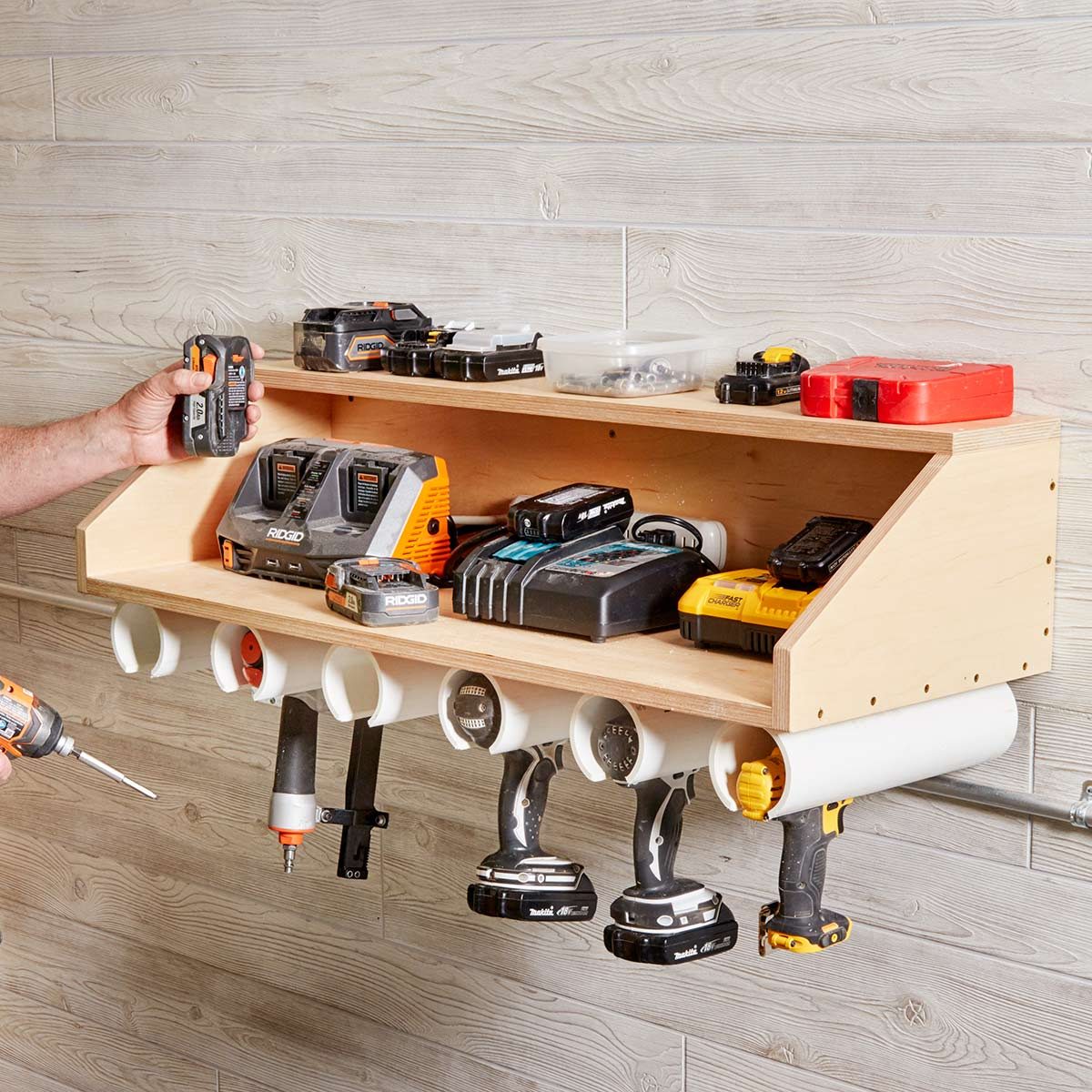
Aqui vai uma grande de coisas porreiras que podem fazer com tubo PVC, 56 delas diferentes, de tudo um pouco!


The 56 Most Brilliant PVC Hacks You’ve Ever Seen
Nick Gerhardt 
What can’t you do with PVC pipe? Here are 56 incredibly smart (and cheap!) ways to use this do-it-all material around your home and workshop. 
https://www.familyhandyman.com/diy-advice/the-most-brilliant-pvc-hacks-ever-seen/


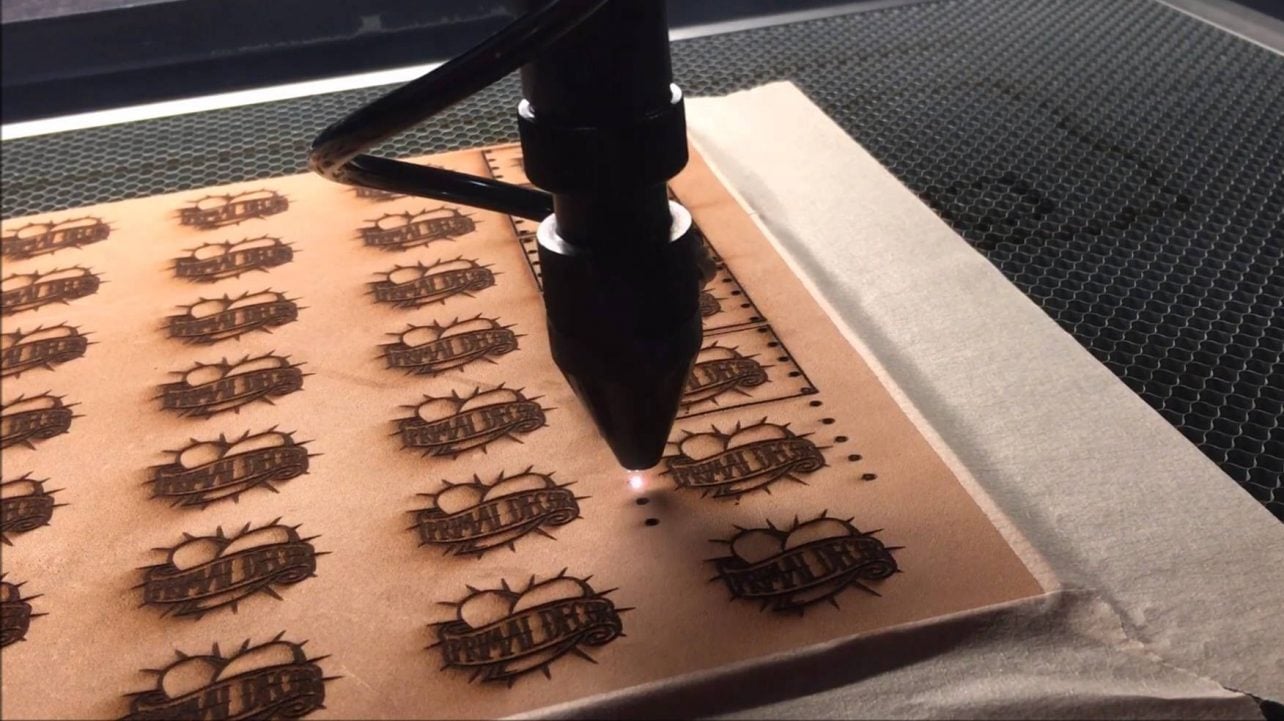
Se quizerem uma Gravadora Laser, aqui estão as melhores, e também a explicação do que elas fazem:


2019 Best Laser EngraversMax von Übel  
What's the best laser engraver? Check out our 2019 buyer's guide. Plus an introduction to laser engraving, services, and materials.
Home and office laser engraving have become so much easier these days. Once strictly used by industrial manufacturers, laser engraving is increasingly adopted by small businesses, product designers, makers, and even hobbyists.
In some cases, a laser engraver might prove to be the most advantageous manufacturing technology for your specific application.
Before pulling out your wallet, we have also compiled everything you need to know about laser engravers into a comprehensive guide to get you started in this great technology. 
https://all3dp.com/1/laser-engraver-engraving-machine/


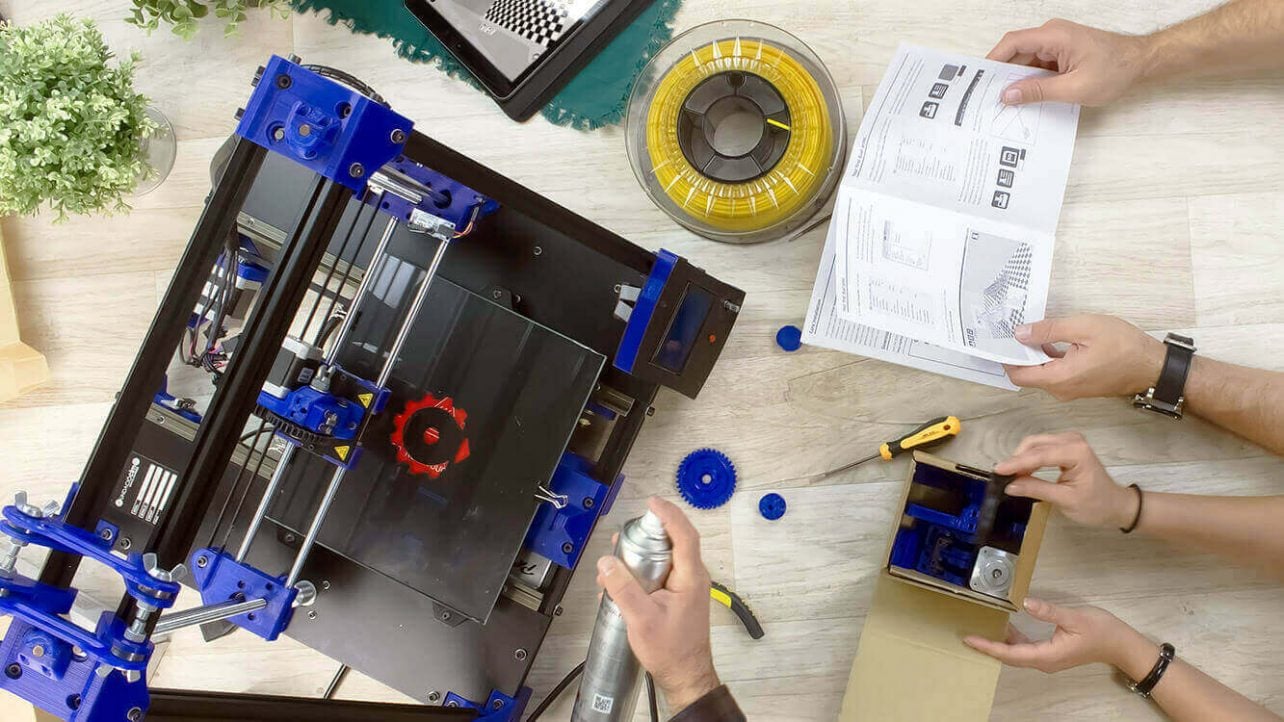
E os mais acessáveis Impressoras 3D, MAS, estas, preciserão ser montadas, por vós, por isso, contem com umas horas às voltas nisso:


2019 Best Cheap DIY 3D Printer KitsAll3DP  
Do you want to build your own 3D printer with a low budget DIY 3D printer kit? Check out the best cheap DIY 3D printer kits you can buy right now.
Feeling brave enough to build a 3D printer from scratch? Assembling your own cheap DIY 3D printer kit is an attractive low-cost option if you’re on a tight budget.
It’s also a fantastic way to learn the nuts and bolts of how 3D printing works — quite literally. There’s no better way to understand the fundamentals of fused deposition modeling than by putting together your own machine. It’s highly satisfying, too. 
https://all3dp.com/1/best-cheap-diy-3d-printer-kit/


E mais uma longa lista, desta vez, 407 Máquinas Ferramentas de todo o tipo:


https://www.pinterest.pt/fernydiez10/máquinas/


sábado, 1 de junho de 2019

Um Nano mais barato! E aprendam FreeCad, um braço-robot Open Source(!), convertam scad para stl, e um Kit Arduino,

Muita coisa para cobrir, por isso, vai ser rápido:

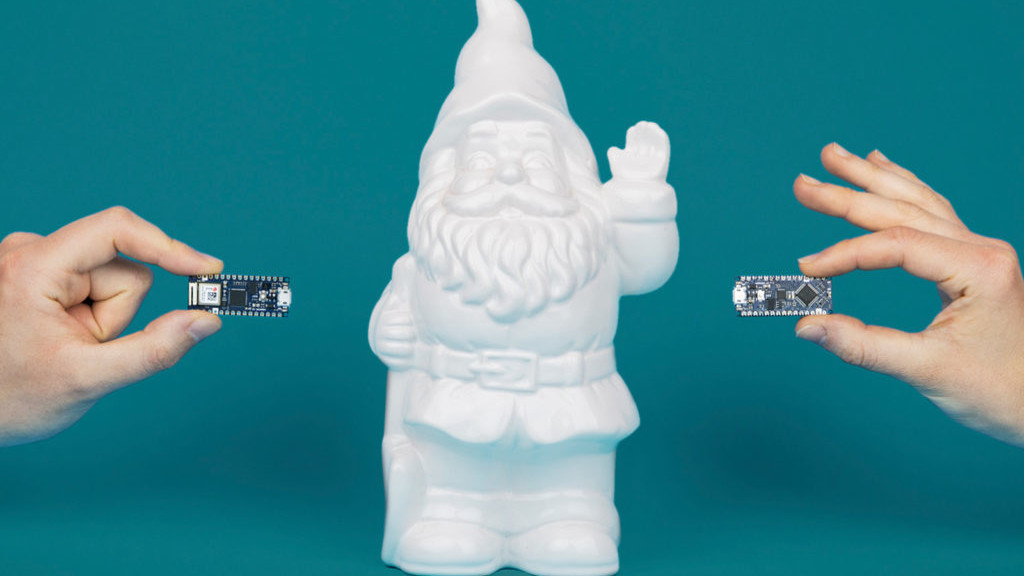
Eis a ùltima criação da Arduino, um Micro-Controlador Nano, e mais em conta, para facilitar ainda mais a vida dos Engenhocas:


Arduino Launches New Affordable Nano Microcontroller BoardsHanna Watkin  
Arduino is the Italian open-source computer hardware and software company announced a new family of affordable, microcontroller boards at last weekend’s Maker Faire Bay Area 2019.
“The new Nanos are for those millions of makers who love using the Arduino IDE for its simplicity and open source aspect, but just want a great value, small and powerful board they can trust for their compact projects,” said Massimo Banzi, co-founder of the Arduino project.
The company’s press release explains that these boards offer high quality and reliability, with a cheaper price tag. The microcontroller boards are also compatible with classic Arduino boards and boast low energy consumption. They’re also equipped with powerful processors. 
https://all3dp.com/4/arduino-launches-new-affordable-nano-microcontroller-boards/


O FreeCad é a melhor opção para quem quer desenhar os seus Objectos 3D, e aqui vai um simpático Tutorial para aprenderem como dominar o Programa:


2019 FreeCAD Tutorial for 3D Printing – 5 Easy Lessons
Rocío Jaimes Gutierrez 

Welcome to our FreeCAD tutorial for 3D printing. FreeCAD is a 3D parametric modeler, designed to create and customize real-life objects. Its beauty lies on the easiness to modify your designs, together with the open-source principle, and of course, being for free.
In this 5-lesson FreeCAD tutorial, you will learn the basic commands and tools to visualize your ideas on screen for 3D printing. We will construct a seemingly simple object – step by step. After each instruction, you will find pictures highlighting the steps. By the end of this tutorial, you will be ready to print your first self-constructed CAD model.


Ora aqui está um Kickstarter a apoiar, um braço-robot OPEN-SOURCE!
Dito de outra maneira, CNC para o Povo!


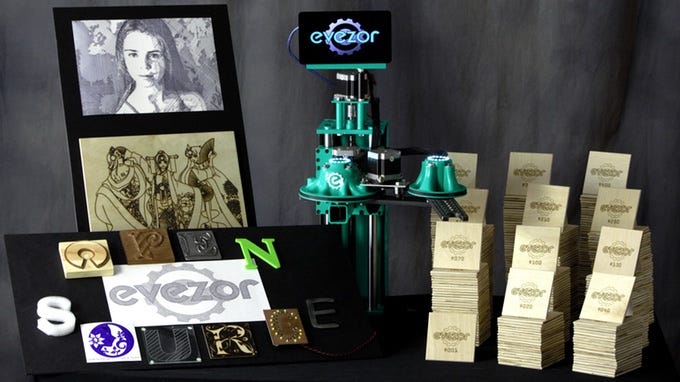
Evezor: Open Source SCARA Robot ArmJeremy S. Cook

Per this project’s Kickstarter video seen below, when 3D printing first jumped came into the mainstream, many people thought they could now make anything they wanted, perhaps even many of them to sell with no human interaction. While true in some sense, these machines do require human intervention between prints, and can take a very long time to produce useful parts. Additionally, some designs may require a different tool, such as a laser cutter or CNC router. That, of course, means more space and money, and still there is the issue of machine tending.

https://blog.hackster.io/evezor-open-source-scara-robot-arm-b955daac3d82


O programa SCAD tem muitos aderentes, por isso, podem aprender como transformar aqueles Sólidos criados em relações Matemáticas, em Objectos impresso em 3D:


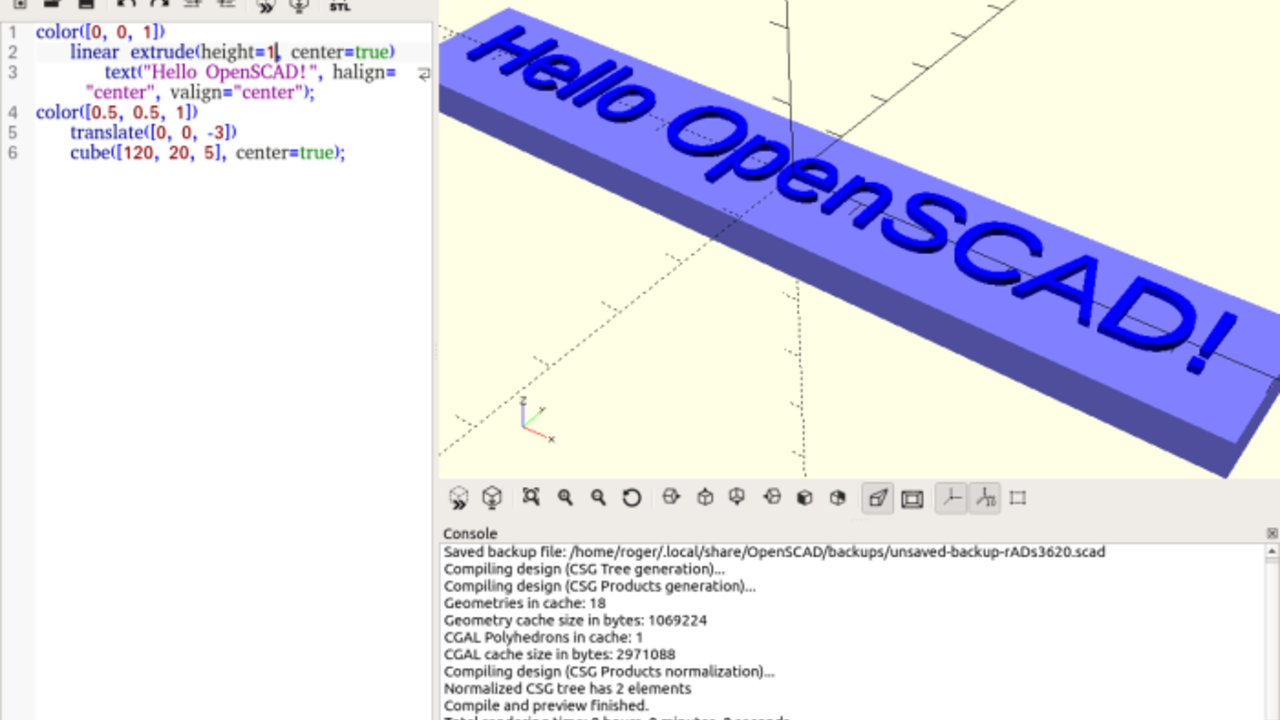
SCAD to STL – How to Convert SCAD Files to STLBenjamin Goldschmidt 

SCAD and STL files are two common file types for 3D design applications. SCAD stands for “Solid Computer Aided Design”, and the file format is used to describe 3D objects. It was pioneered by a software called “OpenSCAD,” which is a free CAD software for designing 3D objects. STL stands for “stereolithography” and is a popular file type to use with slicers for 3D printing.
The main difference between these two file types is in the way the models are described in code. In STL files, the 3D model is created using a “tiled” set of triangles along the surface of the object. This creates a fully 3D object. In contrast, SCAD files design an object using mathematical relationships. For example, a cube-like object can be described using its length, width, and height. This type of design can be useful for printing objects such as fractal art on objects.
Because the geometry used by STL files is more capable of conforming to complex designs, you may find you want to convert SCAD to STL. Lucky for you, there are two really easy ways to do this.

https://all3dp.com/2/convert-scad-files-to-stls/


Este nosso amigo tem-vos a oferecer um bastante exaustivo Instructable para aprenderem uma data de usos para o Arduino!
É bom!


Arduino Learner Kit (Open Source)taifur

If you are a beginner in Arduino World and going to learn Arduino having some hands-on experience this Instructables and this Kit is for you. This Kit is also a good choice for the teachers who like to teach Arduino to their students in an easy way.
If you want to learn Arduino you should include the following topics:
Digital Output:
Controlling multiple LEDs using Arduino
Generating Tone using Buzzer
Digital Input:
Interfacing button switch using Arduino
Interfacing DHT11 Sensor Using Arduino
Analog Input:
Reading Analog data from a potentiometer
Interfacing LM35 temperature sensor using Arduino
Analog Output (using PWM):
Generating multiple colors using the RGB LED.
SPI Communication:
Interfacing 74HC595 Shift Registerwith Arduino
Interfacing MAX7219CNG with Arduino for driving DOT Matrix display or multiple seven segment display using only 3 pins of Arduino.
I2C Communication:
Reading date and time from DS1307 real time clock
UART Communication:
Interfacing GROVE GPS and Bluetooth Module with Arduino
Display Interfacing:
Driving 16 X 2 Character LCD display using Arduino
Multiplexing:
Driving multiple seven segment display using a minimum number of Arduino pins.
You will be wondering to know that the Kit is designed to experiment with all the above-mentioned topics. So, it can be an Ideal Learner Kit for learning Arduino Programming.
[The Kit includes onboard 6 Green LED, 1 RGB LED, 1 Potentiometer, 1 LM35 Sensor, 1 DHT11 Sensor, 4 Button Switch, 4 Seven Segment Display, 1 8X8 Dot Matrix Display, 1 MAX7219CNG IC, 1 74HC595 Shift Register, 1 Buzzer, 1 16X2 LCD display, 1 DS1307 RTC, 3 Grove Universal Connector.]
No more separate shield or module, no more disgusting wiring on the way of learning Arduino.
https://www.instructables.com/id/Arduino-Learner-Kit/


quinta-feira, 27 de dezembro de 2018

Starlite? Muháháháá! E EduExo, uma maravilha, Façam o vosso Micro-Drone(!), imprimir 2x mais rápido, e um Micro-carro!

Um Material que aguenta chamas como se nada fosse, e não passa a temperatura ?
MUÁHÁHÁHÁ!
Entusiasmente...
Algo para as Impressoras 3D, os ferros de soldar, e sabe-se lá quantas mais maquinetas que já vos queimaram os dedos, para não falar de Pegas de Cozinha pá Patroa!
É bom.


A Super-Material You Can Make In Your Kitchen (Starlite?)
NightHawkInLight

In this video I attempt to recreate a lost supermaterial called Starlite. This material could supposedly resist temperatures up to 10,000 degrees Celsius, having undergone testing by NASA and the Atomic Weapons Establishment in the UK. I believe in this video I have come close in function to the original formula for Starlite, but there is still some work to be done. My result works very well, but for a few reasons I may talk about in a future video I do not believe Starlite used PVA glue as it's binder, and I also suspect a different CO2 producer was used instead of baking soda. More experiments are required.

https://www.youtube.com/watch?v=aqR4_UoBIzY


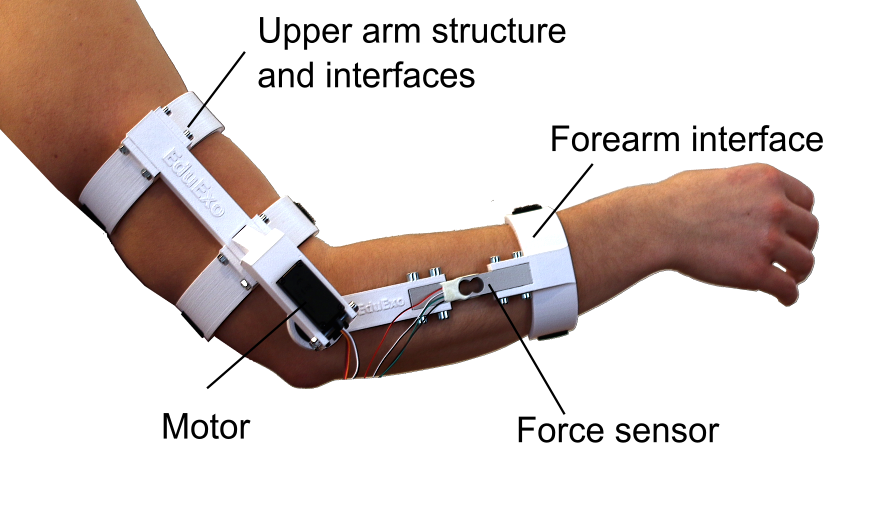
Algo de altamente louvávél, é este Projecto, o EduExo, que vai facilitar bastante a vida a muitos Deficientes Motores, aumentando artificialmente a força de braços debilitados.
Bravo!


EduExo is a DIY exoskeleton kit
Arduino Team

You’ve seen exoskeletons in movies such as Aliens and Iron Man, and perhaps even heard about current experiments with human use. Unfortunately though, if you want to learn about this technology, the barrier to entry is very high.
EduExo, now available on Kickstarter, is an attempt by robotics researcher Volker Bartenbach to bring this technology to the masses. Based on an Arduino Uno, the device takes the form of an upper and lower arm cuff, along with a motor and force sensor to allow it to be used for haptic control.

https://blog.arduino.cc/2017/05/10/eduexo-is-a-diy-exoskeleton-kit/


Quem é que não quer construír isto?
Um Micro-Drone? 
Todo o Geek quer um! Pois Jan Olejnik, dos nossos amigos da Prusa, dizem-vos como o fazer, para vosso deleite e edificação...


How to build a cool & cheap 3D printed micro drone
Jan Olejnik

Radio controlled drones are extremely popular and you can get them in all shapes and sizes. In recent years, one specific type of drone has seen a sudden rise in popularity: micro quadcopters. They fit in your palm but can be powered by high-RPM brushless motors and a two-cell Li-Po battery, so they have, potentially, tons of power. Combine it with first-person video transmission and you have one amazing toy that’s nearly indestructible. And today, we’ll demonstrate that RC vehicles and our 3D printers are a perfect match! We’re going to tell you how to build a cheap, yet powerful, 3D printed mini quadcopter suitable for both indoor and outdoor flying thanks to its diagonal size of 90mm (measured from the motor to motor).

https://www.prusaprinters.org/how-to-build-a-3d-printed-micro-drone/


Dos antípodas, que é o mesmo que dizer, do outro lado do Mundo, vem-nos ainda mais esta Dica do sempre bem-disposto nosso amigo da Maker's Muse, para acelerarem nas vossas Impressões 3D, com umas pequenas mudanças aqui e ali...


3D Print parts TWICE as fast with simple slicer tweaks. 3DP101
Maker's Muse

In this video I'll show you how I created a super fast slicer setting "0.3mm Stupid Fast" to create strong prototype parts quickly and reliably on my Prusa MK3 3D Printer. This might be obvious to some, but many 3D Printing enthusiasts never try and push the limit with their print settings. You'll be amazed just how quickly you can churn out parts with a few simple tweaks - in some cases more than twice as fast and just as strong! Just want to see my settings??? Jump to 6:27 ! :)

https://www.youtube.com/watch?v=3kW9SnK4LKc


...E como  não quero que vos falte nada, terminamos com este engraçadíssimo Micro-Carro, tele-controlado, e MESMO pequeno!
Até dá para brincar com o Gato, ou assustar as míudas!
LOL


Micro RC Car
KRP-01

Remote controls cars are now widely available, however there's one astounding model that one can scratch-build. It measures merely 2inches long but is equipped with proportional control system including 12step steering control, headlights and more!