
Blog Posts

Mostrar mensagens com a etiqueta Circuitos. Mostrar todas as mensagens

domingo, 4 de novembro de 2018

Parafusos 3D! E construír Circuitos, mais uma Impressora 3D Open-source, e testem a Impressora!

Um Parafuso faz falta... 
A muita gente! 
LOL
Por exemplo, nas vossas Engenhocas, pode ser importante imprimir em 3D uns parafusos, mas uns que funcionem, mesmo, sem falhas, e com dimensões e outras características que não encontrem por ai.
Por isso, sigam este Tutorial:


Step-by-step easy guide: designing and 3D printing threads
Katarzyna Plewa

In this blog post, we will show you how easy it is to 3D model threads, which are used all around us. We have them in our bathrooms, kitchens, gardens. Most of them have universal size and can be easily designed and 3D printed with an online service like Sculpteo. Our 3D printing experts will show you how simple 3D modeling and 3D printing can be. Let’s get started!

What are the benefits of 3D printing threads?
One would ask, why would you 3D print threads if they are already available on the market? But the benefits of 3D printing threads are numerous. Let’s start with the customization. No other technology in the world gives you that much design freedom and a high level of details. With Additive Manufacturing you can design and produce parts perfectly fitting just your needs.

https://www.sculpteo.com/blog/2018/10/31/step-by-step-easy-guide-designing-and-3d-printing-threads


Para perderem o medo a criar os Circuitos Electrónicos, que precisem, aprendam com este Instructable, porque aprendendo, o que custa mais, é dar os primeiros passos:


How to Build Your 1st Circuit
lonesoulsurfer 

Building your own circuits can seem like a daunting task. Circuit diagrams look like hieroglyphics and all those electronic parts make absolutely no sense.
I have put this Instructable together to hopefully help and guide you to ultimately build your own circuits. The 10 tips in this Instructable are ones that I have picked-up over the years through much trial and error. I’m no expert (the great thing is you don’t have to be an expert to learn how to create circuits!) so please don’t expect this Instructable to be a complete guide. Rather, I hope it’s used to help anyone who is interested in learning about electronics and circuits, to pick up a soldering iron and get started.


 ~


Mais outra Impressora 3D Open Source, para não dizerem que vos faltam opções, e este, com práticamente tudo o que é bom, mas ainda assim, com a possibiliade de ficar melhor!


LightBlue 3D
fkirita

Hello.
In the past 4 years I've played with 3D printers.
I have discovered and learned new skills and knowledge. I designed and printed a lot of objects. I fell in love with 3D printers. And I hated them. And again I fell in love.
And now I've decided to make a 3D printer. An open source printer.
In this instructable I will describe how to build your BlueLight 3D printer. It is the first 3D printer we produced and is the basic model. If you want, you can upgrade to DeepBlue 3D or even to DeepBlue 3D Pro.
Highlights: cube like frame, new cross XY rolling system design, servo Z probe for all bed surfaces, four point translation bed design, simple filament run out sensor, active cooling with laminar air curtain and Marlin 2.0 firmware (early stage).
The DeepBlue 3D Pro, the top of the Blue3D range has an active enclosure, wi-fi connection, raspberry pi with octoprint and direct extruder.
 
https://www.instructables.com/id/LightBlue-3D/


Um Diagnóstico completo à qualidade das vossas Impressões, é o que vos oferece este fichheiro que é um Teste de Impressão, bem mais completo do que o simpático Benchy:


Autodesk and Kickstarter Develop a Free, Downloadable Universal Test Print for 3D Printers
Rain Noe

Before buying one, how do you determine if any given FDM (fused deposition modeling) 3D printer will be able to do what you need it to? Shouldn't there be some universal test print, like those printer test pages that you can use to determine if your printer's up to snuff?
Kickstarter thinks so. As the host for over 200 successfully-crowdfunded 3D printers, most famously Formlabs', the company realizes it would be beneficial if all developers of 3D printers could demonstrate their machines' capabilities by all producing the same complicated object. Hence they've partnered with Autodesk to develop the following file:


 ~


 ...E se o vosso malvado Extrusor só vos dá dores-de-cabeça, aprendam mas é a calibrá-lo em 6 passos, para ser sempre a abrir...
É bom!
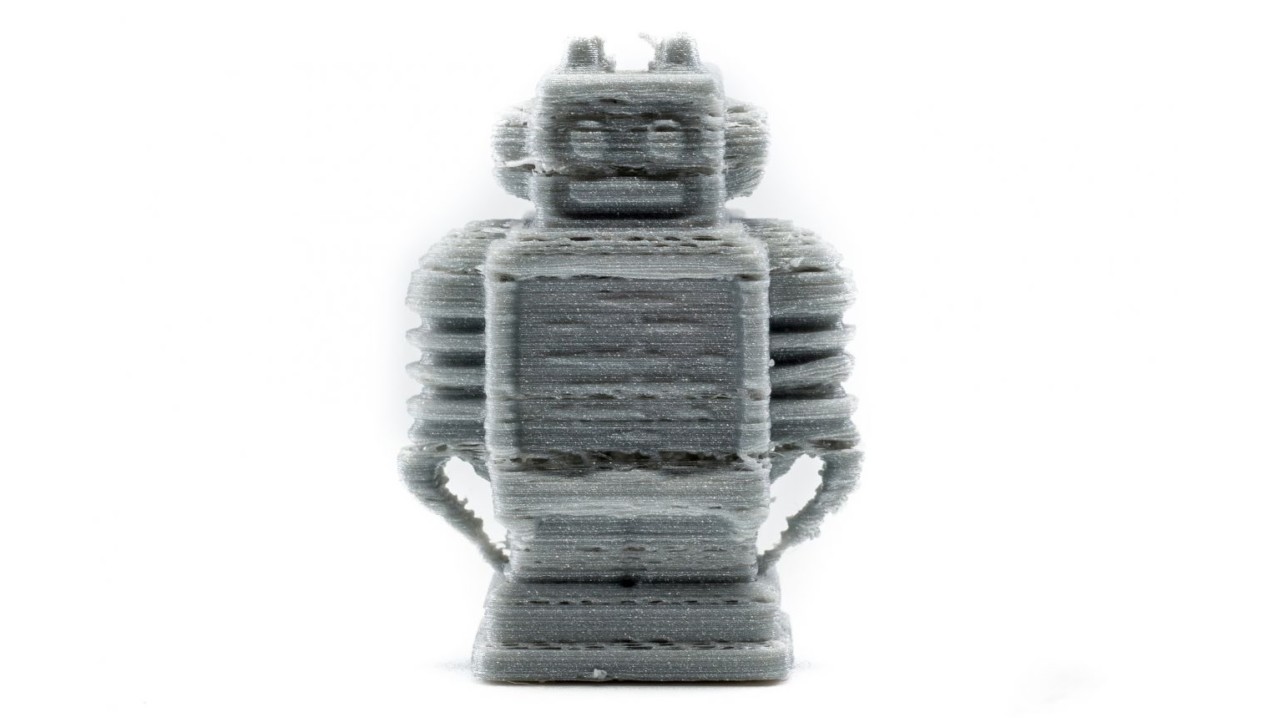


Extruder Calibration – 6 Easy Steps
Emmett Grames

Extruder calibration is crucial to FDM 3D printing for many reasons. The point of extruder calibration is to ensure your printer is pushing exactly the right amount of filament through the hot end during a print.
Too little filament and a part will have gaps between layers, or the layers themselves will be weak or missing. Adhesion will also not be very good, and prints can be subject to layers delaminating and warping.
Too much filament and your prints will come out with over-extrusion problems, resulting in blobs, stringing, and droopy details. Extreme over-extrusion can also contribute to clogging and filament jamming in the hot end.
To avoid these problems, we suggest following this simple step-by-step guide to calibrate your extruder.

https://all3dp.com/2/extruder-calibration-6-easy-steps-2/


quarta-feira, 22 de junho de 2016

Attiny programado com Arduino, Circuitos, Bancada, Oficina, e Sucata

O Attiny é um Chip programável, que vos ajuda em muito  Projecto onde o tamanho é um factor essencial, mas programá-lo pode ser uma embrulhada...
Já não  é assim, com este simpático Instructable dos nossos amigos Webgeeks, que vos vai dar asas, porque o passam a programar com um Plug-in para o Arduíno:


Arduino Attiny Programming Shield

webgeeks 
An Attiny is a great alternative to the atmega328, it is for those projects that need few GPIO pins and need to be portable. But unlike the atmgea328 the attiny cannot plug into an Arduino board and be programmed. Another way would be to use a breadboard and an Arduino uno as ISP, but it would be really messy and it would be hard to program it this way multiple times.
A better way would be to program it on a shield and in today's instructable I'm going to show you how to build an attiny programming shield. The shield is easy to build and plugs on to an Arduino to program. So all you have to is plug the attiny on the IC Holder and you can program it. 
http://www.instructables.com/id/Arduino-Attiny-Programming-Shield/


E se não pescam nada de Circuitos Integrados?
Podem então, começar por esta Introducção aos Circuitos Integrados, e aprender a partir daí:


Intro to Printed Circuit Boards

tedmyers


In this instructable, I'll go over what a printed circuit board is, where they are used, and the basics of how to make one yourself. So sit back, strap in, and enjoy learning about this very important and interesting method of making electronics!
Note: this is an introductory guide. I'm sure that there is a lot I did not cover, and if you find something you think I should mention in this guide, make sure to put it in a comment below!


Ser-se Engenhocas é uma tristeza, se se tem de montar a Engenhoca na Mesa da Cozinha, com uma tábua encima, sim já o fiz, no início...
Para trabalhar com gosto, façam mas é ISTO, que é uma enorme ajuda, e um gosto para os olhos de qualquer Geek!


Ultimate Workbench

mikeasaurus


The ultimate workbench is your go-to place when you need to get a job done. It's got a solid wood work surface, great lighting, a vice to hold down your work, and of course all the important tools at the ready in drawers underneath. Also, it's on casters. Which is really the best part about this workbench, the mobility it provides. 
http://www.instructables.com/id/Ultimate-Workbench/


...Mas se já têem um Espaço de parte para a Engenhoquice galopante que nos consome, pois o melhor, é arranjarem tudo como deve de ser, e aqui está como, mas que maravilha!

É concebido tudo isto para a Carpintaria, e sigam o Link que lá está para a Woodskills, mas é claro, primeiro, a Carpintaria é a base de muito Porjecto, e segundo, para Serralharia, Fabbing, Impressão 3D, electrónica, etc. o conceito é o mesmo... 


Setting Up a Workshop

woodskills


This Instructable on Setting Up a Workshop is brought to you by WoodSkills. For woodworking plans, woodworking courses, books and tutorials, please visit WoodSkills

The first step in setting up a workshop is to establish your needs. A suitable location for the workshop must be determined. Workshops can be located in any part of the home or garage, but ideally the basement or garage are very suitable locations. You should plan for future expansion prior to designing a workshop, since at some point in the future you will outgrow your present shop. Many factors are taken into consideration in designing a workshop. Storage, lighting, ventilation, power requirements, and noise reduction are important considerations.

The typical woodworking shop requires a lumber storage area, a workbench, tool storage, stationary machine area, and a finishing area. Ample space should be provided to move between the bench and walls, and to provide the necessary clearance to be able to use long, wide boards and panels. 


O Engenhocas que nunca aproveitou Sucata que atire a primeira pedra, sem Sucata, não há peças para estragar, pois aqui está como aproveitar Ímanes de Neodímio de Discos Rígidos da Sucata, para só comprarem os Ímanes, depois de terem a certeza de quais e quantos precisam...
E de terem partido uns tantos, a montarem os 5 ou 6 primeiros Protótipos! 
Muáháháháhá! 


Rare Earth Magnets From Old Hard Drives

Lorddrake


It happens to all of us eventually.
You've upgraded your laptop from that ancient cinder block to a sleek new light weight model.
You got a new desktop PC to replace the one that was so old the keyboard was in Sanskrit.
You have moved over all you family pictures, every song you've collected since high school, all those movies you download ... completely legitimately .. *cough cough* .. no really ... OK ... moving on
So what do you do with the Hard drives you removed before sending the rest of your old computers to be recycled?
I'll tell you what to do .. You grab your tools and gut them for the glorious rare earth magnets (As well as a few other goodies) that are hidden inside.